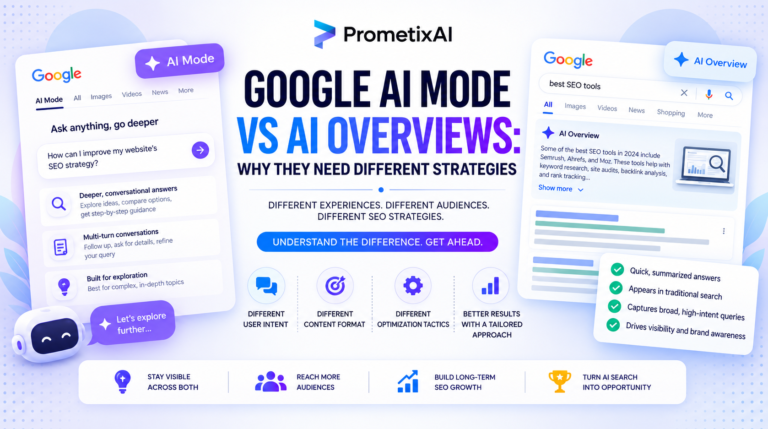
On June 3, 2026, Google launched the Google Search Console AI Overviews report, and the SEO industry finally got something it has been asking for since 2024. For the first time, site owners have a dedicated view inside Search Console that shows how their pages perform inside Google generative AI features, specifically AI Overviews, AI Mode, and generative AI features in Discover.
Before this launch, measuring AI visibility meant guesswork. You could study SERPs, compare traffic patterns, and use third-party tools to estimate how often your content appeared inside AI-generated answers. The Google Search Console AI Overviews report changes that. It does not solve everything, but it moves AI visibility from theory into actual reporting.
This guide breaks down everything you need to know about the Google Search Console AI Overviews report: what metrics it shows, what it does not show yet, who has access right now, and how to use the data to inform your strategy.
AI visibility is now a measurable metric. If you want to know how your brand is performing inside Google AI answers right now, PrometixAI runs dedicated AI visibility audits that show you exactly where you stand and what to fix first.
Why the Google Search Console AI Overviews Report Matters
AI Overviews now appear on more than 48 percent of all Google Search queries as of March 2026. AI Mode, which delivers fully conversational AI-generated search results, has crossed one billion monthly active users. AI Overviews as a whole reaches 2.5 billion monthly users globally.
With that level of reach, whether your pages appear inside AI-generated answers has become as important as where they rank in organic results. The problem is that traditional Search Console data mixes AI-driven impressions together with standard blue link impressions. Site owners had no clean way to separate them.
The Google Search Console AI Overviews report fixes that by creating a standalone section dedicated entirely to generative AI visibility. The standard performance report stays unchanged alongside it, so you get both views without losing any existing data.
Further Reading
SEO Audit Checklist: What to Fix in 2026
Before optimizing for AI Overviews, make sure your technical foundation is clean. This checklist covers everything Google needs to crawl, index, and rank your site correctly.
Read the Guide →What the Google Search Console AI Overviews Report Actually Shows
The Google Search Console AI Overviews report covers two distinct surfaces. There is a Search report, which tracks impressions inside AI Overviews and AI Mode on Google Search. There is also a Discover report, which tracks generative AI features inside Google Discover. Both reports are separate views, giving you focused data for each surface.
Here is what the current version of the Google Search Console AI Overviews report includes:
- Impressions: How often URLs from your site appeared inside generative AI features in Search and Discover.
- Pages: Which specific URLs are appearing within AI features, so you can identify your strongest performing pages.
- Countries: A geographic breakdown of your AI visibility, useful for brands operating across multiple markets.
- Devices: Desktop versus mobile breakdown. This dimension is available for Search results only and is not included in the Discover report.
- Dates: Time-based reporting with hourly, daily, weekly, and monthly granularity. Data starts from May 18, 2026 going forward. There is no historical data before that date.
What the Report Does Not Show Yet
The most important limitation of the Google Search Console AI Overviews report right now is that it shows impressions only. There are no clicks, no click-through rate, no average position, and no query data in the current version. Google has stated that additional metrics will be added over time, but clicks are not included at launch.
This means the Google Search Console AI Overviews report can answer the question of how visible your pages are inside AI features. It cannot yet answer how much traffic AI search is actually sending to your site. The measurement gap is half closed, not fully closed. For now, supplementing with GA4 referral data and tools like Semrush or Ahrefs AI visibility features remains necessary for the full picture.
The AI Blocking Toggle: The Other Announcement Nobody Is Talking About
Alongside the Google Search Console AI Overviews report, Google quietly launched a second feature on the same day: an AI blocking toggle. This control lets site owners decide whether their content appears inside AI Overviews, AI Mode, and AI Overviews in Discover.
Sites that opt out will not receive impressions or traffic from generative AI features. Critically, Google has confirmed this will not affect standard organic rankings. Opting out of AI features does not push your site down in regular search results. The two surfaces are treated independently.
Whether to use the toggle is a real strategic question. Given that AI Overviews reaches 2.5 billion monthly users, opting out means giving up exposure at massive scale. For most brands, staying visible inside AI features and using the Google Search Console AI Overviews report to measure that visibility is the stronger play.
Why the UK Got Access First
The rollout started with a subset of UK site owners, and the reason is regulatory rather than technical. On June 3, 2026, the UK Competition and Markets Authority imposed its first binding conduct requirement on Google under the Digital Markets, Competition and Consumers Act 2024. The CMA required Google to give publishers more control over how their content is used in AI features, including the ability to opt out of AI model fine-tuning.
This legal requirement is what accelerated both the Google Search Console AI Overviews report and the blocking toggle into existence. The compliance schedule runs until October 2030, with page-level blocking controls coming into force in March 2027. Global rollout of the report will follow after the current testing phase.
How to Use the Google Search Console AI Overviews Report in Your Strategy
- Find Your Priority Gap. Open the Google Search Console AI Overviews report and identify which pages are generating AI impressions and which are not. Pages that rank well in organic search but have zero AI impressions are your biggest opportunity. These are pages where your content is not being pulled into AI answers despite being relevant, and they should be the first ones you optimize.
- Reverse-Engineer What Is Already Working. Study the patterns of pages already appearing in the Google Search Console AI Overviews report. These pages typically lead with a direct answer in the first 150 to 200 words, use FAQ or HowTo schema markup, carry clear E-E-A-T signals, and are attributed to a named author or organization. Replicating those patterns across underperforming pages is the fastest route to growing your AI impression share.
- Spot Geographic Gaps. Use the country dimension inside the Google Search Console AI Overviews report to find where your visibility drops off. A page might generate strong AI impressions in the US but none in the UK or Australia. That points to either localization gaps in the content or differences in how AI features are rolling out across markets. Both are fixable once you can see the data clearly.
- Make It a Reportable Metric. Track AI impression share over time using the date dimension in the Google Search Console AI Overviews report. Month-over-month growth is the new number to present to clients and stakeholders alongside traditional click and ranking data. This is how you turn AI visibility work into a concrete, reportable result.
Technical Checklist to Improve Your Visibility in the Report
Getting your pages to appear more consistently in the Google Search Console AI Overviews report requires a mix of content and technical work. Start by checking that Googlebot-Extended is not blocked in your robots.txt file. This is the crawler that feeds AI Overviews, and blocking it means your content cannot be used to ground AI responses regardless of how good the content is.
Implement FAQPage, HowTo, and Article schema on relevant pages. Structured data makes content directly extractable by AI systems and increases the likelihood of appearing inside AI-generated answers. Validate all schema using Google Rich Results Test before publishing.
Beyond technical setup, content structure matters enormously. Pages that perform well in the Google Search Console AI Overviews report consistently open with a concise direct answer, back it up with specific evidence or data, and organize supporting information in clearly labeled sections. Generic content that an AI can summarize without citing your source is the content most at risk of invisibility inside AI features.
Here Is What to Do Next.
The Google Search Console AI Overviews report is not a finished product. It lacks click data, has no query dimension, and is available to a limited subset of sites right now. But its existence signals something important: Google is officially treating generative AI visibility as a separate performance surface, distinct from traditional organic search.
Ranking number one in organic search no longer guarantees that your brand is visible when a user asks Google a question. The Google Search Console AI Overviews report is the first native tool that begins to measure that gap. Brands and agencies that start tracking AI impression share now, before the report becomes widely available, will have a baseline advantage when it rolls out globally.
Check your Search Console account today to see if you have early access to the Google Search Console AI Overviews report. If you do, export your first month of data as your baseline. The brands that build their AI visibility strategy around this data early are the ones that will dominate AI search results in the months ahead.