On June 3, 2026, Google launched dedicated search console generative AI performance reports. For the first time, site owners have a purpose-built view of how their content appears inside AI Overviews, AI Mode, and AI-powered Discover results, all from inside the same tool they have used for years.
Most coverage stopped at “the feature exists.” So here is the actual breakdown, question by question.
Q: What exactly is the Search Console generative AI report?
It is a standalone performance section inside Google Search Console that shows how your URLs appear inside AI-powered search features, separate from your standard organic results.
Before this, AI visibility data was buried inside the main Performance report with no way to isolate it. You could not tell whether an impression came from a blue-link ranking or an AI Overview. The search console generative AI section fixes that by splitting the two into their own dedicated views.
Q: When did Google launch this?
Google announced the search console generative AI reports on June 3, 2026, through the Google Search Central Blog.
The announcement was made by Hillel Maoz, Search Ecosystem Engineering Manager, and Moshe Samet, Product Manager Lead for Search Console. It dropped alongside a separate Google Blog post about new controls for website owners, which also covered the opt-out toggle for AI features.
Q: Which AI surfaces does it cover?
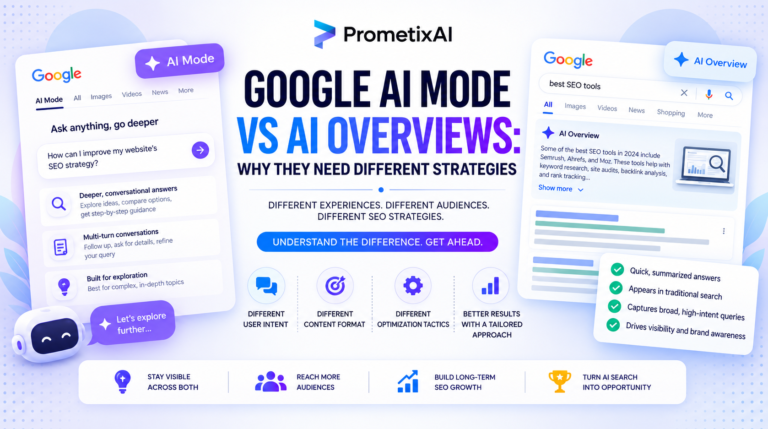
The search console generative AI report covers three surfaces: AI Overviews, AI Mode, and generative AI features inside Discover.
That means if your content appears inside a conversational AI answer, an AI-expanded search result, or an AI-generated Discover card, this report is where that data now lives. Standard organic results stay inside the existing Performance report as usual.
Q: What data can you actually see inside it?
The search console generative AI report shows five things: impressions, pages, countries, devices, and date-level performance.
Impressions tell you how often your URLs appeared inside AI features. Pages show which specific URLs Google chose to include. Countries and devices give you a geographic and platform breakdown. And the date dimension lets you track whether your AI visibility is growing or shrinking over time, from hourly to monthly granularity.
You can see the impressions, but do you know how to actually rank in AI Overviews?
Impressions, pages, countries, devices, the data is there. But knowing which signals push your content into AI answers is a different skill entirely. Our guide breaks down exactly what Google looks for when selecting content for AI Overviews, so you can act on the numbers, not just read them.
Read: How to Rank in Google AI Overviews →Q: Is this data separate from the standard Performance report?
Yes, but the underlying data is not removed from the main report. It still sits inside the overall Performance report as it always has.
What Google added is a separate, dedicated view on top of that. So the search console generative AI section is a filtered lens into the same data set, not a new data pipeline. That distinction matters because your total impression counts in the standard report already include AI appearances. You just had no way to isolate them before.
Q: What is missing from the search console generative AI data?
Clicks. The report tracks impressions but does not yet confirm click data as a metric.
Without clicks, you cannot calculate a CTR for AI appearances, and without CTR you cannot answer the question most clients ask first: is this actually sending traffic? You can confirm your content appeared. You cannot yet confirm it drove visits. Google has said more metrics may come over time, but right now the search console generative AI report is impression-only.
Q: Why does the missing click data matter so much?
Because AI Mode queries work very differently from standard searches, and impressions alone do not tell the full story.
Google’s own data from March 2026 shows AI Mode queries average three times the length of traditional searches. A single query can also pull content from multiple URLs at once through what Google calls “query fan-out.” So one impression in AI Mode is not the same as one impression in standard search. The search console generative AI report gives you impression counts across these interactions, but without click data those numbers are hard to benchmark against anything meaningful.
Q: Who has access to the report right now?
Not everyone. The search console generative AI reports are rolling out to a subset of websites while Google tests the data and collects feedback.
If you open Search Console and do not see a generative AI section, you are not in the first batch. Check weekly. The rollout is active and expanding. When access does arrive, the search console generative AI section appears as its own report inside Search Console, not as a filter inside the existing Performance tab.
Q: Google launched an opt-out toggle too. What does it actually do?
The toggle lets you remove your site from all generative AI Search features entirely: AI Overviews, AI Mode, and generative Discover results included.
Sites that opt out receive zero impressions or traffic from those surfaces. Google has confirmed the opt-out does not affect standard organic rankings, so the two channels stay cleanly separated. But the scale of what you are walking away from is significant. AI Overviews has over 2.5 billion monthly active users. AI Mode has crossed one billion. For most sites, opting out of search console generative AI surfaces means voluntarily cutting your presence in the fastest-growing part of search.
Q: What should you do with all of this right now?
Check every Search Console account you manage for the search console generative AI section, and if access is live, pull impressions and compare them against your standard Performance report for the same date range.
That comparison shows how much of your total visibility is now AI-driven. Then look at which specific pages are appearing. The search console generative AI data is URL-level, so you can see exactly which content Google is selecting for AI answers. Use that as a content signal, not just a reporting number.
So, Where Does This Leave You?
The launch of search console generative AI reports is not just a new tab to check. It is Google officially acknowledging that AI visibility and organic visibility are two different things that deserve separate measurement. That shift has been happening in search behavior for over a year.
Now it is happening in the data too. If you are serious about understanding where your traffic is actually coming from in 2026, the search console generative AI report is the first place to start. And if you want help making sense of what that data means for your site, that is exactly what we do at PrometixAI.
Your content is appearing in AI answers. Do you know which pages?
At PrometixAI, we track your AI visibility across AI Overviews, AI Mode, and Discover — and build the content strategy that gets you included more often.